Holiday Retail Security: Protecting Exits, Stockrooms, and Receiving This Season
· By admin · Access Control Systems, Business Surveillance, Camera Commentary, Camera installation, Loss Prevention, Theft Prevention
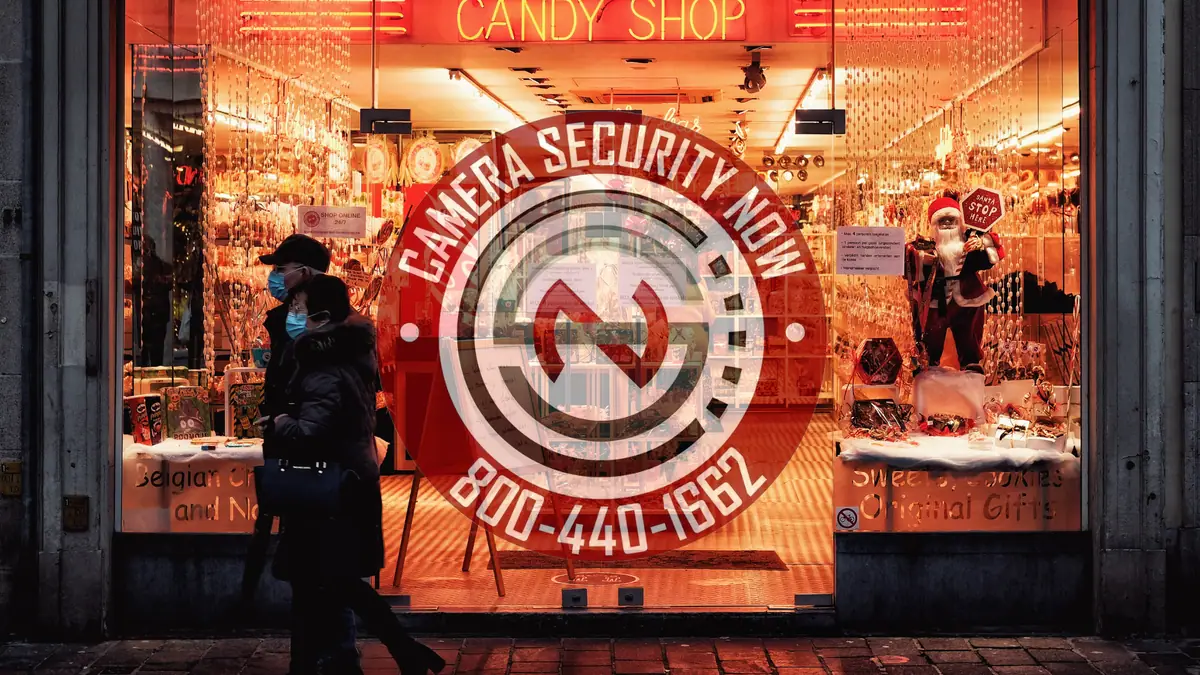
The holiday season puts more pressure on a retail store than any other stretch of the year. More shoppers, more seasonal staff, more deliveries, and longer hours all arrive at once—and the security cameras and door controls that felt adequate in July can start to show their gaps by Black Friday.
This guide looks at where holiday theft pressure tends to land—front exits, the sales floor, stockrooms, and receiving—and how CameraSecurityNow.com helps retailers plan cameras, access control, and placement before the busiest weeks begin.
It is written for store owners, loss prevention leads, district and operations managers, and facility teams who need practical decisions, not a sales pitch. No camera or credential system stops theft on its own. The goal is clearer visibility, better control over who goes where, and video that is actually useful when your team needs to review an incident.

Why the Holidays Stress Every Part of the Store
Seasonal pressure rarely shows up in just one place. It spreads across the whole building at the same time.
Many retailers report that the weeks between November and early January bring a combination of conditions that make loss harder to manage:
- Crowded sales floors where staff attention is split between customers, registers, and restocking.
- Busy exits where a person leaving with unpaid merchandise can blend into steady foot traffic.
- Seasonal and temporary employees who are still learning procedures and may have broader access than they need.
- Overflowing stockrooms with high-value inventory stacked in aisles, corners, and temporary staging areas.
- Heavier receiving schedules with more trucks, more vendors, and more doors propped open between deliveries.
Each of those conditions can create a moment when nobody is quite watching. A security plan for the holidays should look at all of them together, not just the front door.
Walkouts and Repeat Offenders at the Front of the Store
Walkouts—someone leaving with merchandise and simply heading for the exit—are one of the most visible forms of holiday loss.
Many retailers also describe a pattern of repeat visits: the same individuals, or loosely organized groups, returning to the same store or to several locations in an area. Your team may not be able to stop a walkout in the moment, and in many cases staff are told not to try. What cameras can do is help your team document what happened in a way that is useful afterward.
That usually means thinking about the front of the store in terms of identification, not just general coverage:
- Exit and entrance cameras positioned to capture faces as people pass through the vestibule, not just the tops of heads or a wide shot of the parking lot.
- Point-of-sale cameras that show the transaction area, the customer side of the counter, and the cash drawer.
- High-value aisle coverage for categories your team already knows are targeted during the season.
- Parking lot and approach views that may help your team understand how people arrive and leave.
Clear, consistent footage from the same angles can help your team recognize when the same person returns, share incident details internally across locations, and provide video when a report is made. The value comes from planning the view for the purpose, which is where many systems fall short.
Stockrooms and Back Rooms: The Quieter Risk
The sales floor gets the attention, but the back of the house is often where inventory sits unattended for the longest stretches.
During the holidays, stockrooms fill up fast. Merchandise is staged in hallways, break areas, and corners that normally stay empty. Temporary staff are moving in and out. Doors that should stay closed get propped open because someone is carrying boxes.
This is where access control and cameras work best together:
- Credentialed stockroom doors let you decide which employees can enter and when, instead of relying on a shared key or a code everyone knows.
- Entry logs give managers a record of who opened a door and at what time, which can be paired with video when something goes missing.
- Temporary credentials for seasonal staff can be limited to the areas and shifts they actually need, then turned off when the season ends.
- Cameras on stockroom doors and interior aisles show who is moving product and where, not just who walked through the door.
The point is not to treat every employee as a suspect. Most staff are honest, and clear access rules protect them too. When there is a question about missing inventory, a credential log and a matching camera view can settle it faster than guesswork.
Receiving and Loading Areas During Peak Delivery Season
Holiday receiving schedules are often the busiest of the year, and receiving areas are some of the hardest spaces in a store to keep under control.
More trucks, more vendors, more drivers, and more cartons mean more chances for a miscount, a short shipment, or merchandise that leaves through the back instead of the front. Receiving doors are also a common point where outside access and inside inventory meet with very little in between.
Practical steps many retailers consider before the season include:
- Cameras that cover the receiving door, the dock or delivery threshold, and the area where cartons are checked in.
- Access control on the receiving entrance so the door is not left open for convenience between deliveries.
- Coverage of trash and cardboard compactor areas, which can be used to move merchandise out of the building.
- A clear view of the path between receiving and the stockroom, so product is visible from truck to shelf.
Retail receiving has a lot in common with warehouse docks. If your store has a dedicated dock, our article on why your loading dock may be the biggest blind spot covers the same issues in more depth.
Placement Mistakes That Leave Gaps When You Need Coverage Most
Many retail camera problems are not about the number of cameras. They are about where the cameras point.
Common issues that show up when a team reviews footage after an incident include:
- Exit cameras mounted too high or too wide to identify anyone.
- Cameras facing bright entrance glass, which can leave faces dark or washed out.
- Seasonal displays, signage, or stacked inventory blocking views that were clear earlier in the year.
- Stockroom corners and side doors with no coverage at all.
- Receiving areas covered by a single wide view that shows activity but not detail.
Holiday merchandising is especially easy to overlook. A new endcap, a tall display, or pallets staged near an exit can block a view that worked perfectly in the spring. It is worth walking the store after seasonal sets go up and checking each camera view against how the floor actually looks now. For a broader look at these issues, see our guide to security camera placement mistakes that create blind spots.
After Dark: Parking Lots, Entrances, and Closing Time
Holiday shopping happens in the shortest days of the year, so a large share of store traffic arrives and leaves after dark.
Cameras that look fine at noon can struggle at 5:30 p.m. in December. A few things are worth checking before the season:
- Lighting at entrances, parking lots, and receiving doors. Cameras work best when the areas they watch are evenly lit, without deep shadows or glare from headlights and signs.
- Night-capable cameras for lots, sidewalks, and back doors, so footage stays usable after sunset instead of turning into dark, grainy shapes.
- Closing and opening routines. Cameras on the front doors, registers, and back exits help managers confirm the store was locked up properly at the end of a long shift.
- Overnight and holiday closures. Stores that close for Thanksgiving, Christmas, or New Year’s Day sit empty with full stockrooms. Exterior coverage and door controls matter just as much when nobody is in the building.
Remote Viewing and How Long You Keep Footage
Holiday hours are long, and owners and managers cannot be in every store at every moment.
Remote viewing lets an owner, store manager, or district manager check live or recorded video from a phone or computer, whether that means looking in on a busy Saturday, reviewing an alarm after hours, or comparing several locations at once.
Recording length matters too. A holiday incident is not always discovered the same day. A missing shipment, a gift card problem, or a return that does not add up may come to light weeks later, often during January inventory counts. Make sure your system keeps enough days of footage to cover that gap, and that the right people know how to find and export a clip when it is needed.
Map Exits, Stockrooms, and Receiving Before You Request a Quote
The fastest way to start a useful conversation about holiday coverage is to put the store on a drawing.
The free Site Layout Planner at CameraSecurityNow.com lets you upload a floor plan or site image, place camera and access control markers, name them (for example “Front Exit,” “Stockroom Door,” or “Receiving”), and submit the layout with a quote request.
For retail, a quick layout might include:
| Area | What to mark | Questions to answer |
|---|---|---|
| Entrances and exits | Cameras at each door and vestibule | Can we identify people entering and leaving? |
| Registers / POS | Cameras over each checkout area | Do we see the transaction and the customer? |
| High-value aisles | Cameras on targeted categories | Which products need closer coverage this season? |
| Stockroom | Access control on doors, interior cameras | Who should have access, and during which shifts? |
| Receiving | Cameras at the door and check-in area, door controls | Is product visible from truck to shelf? |
A layout does not replace a site visit, and our team still confirms views, distances, and mounting locations as part of professional installation. It does make the first conversation faster and more specific.
Is Your Store Ready for the Busiest Weeks of the Year?
Holiday security works best when exits, the sales floor, stockrooms, and receiving are planned as one system, with cameras placed for identification and access control limiting who can reach inventory behind the scenes.
 Talk with CameraSecurityNow.com about your store before the season peaks—call 800-440-1662. Installation schedules fill up as the holidays approach, so the earlier you reach out, the more likely your cameras and door controls are in place before Black Friday. We have planned and installed commercial security cameras and access control since 1998, from our headquarters in Middletown, Ohio, serving businesses across Ohio and surrounding states with a nationwide installer network.
At CameraSecurityNow.com, we plan cameras and access control around how your store actually operates—front doors, registers, back rooms, and receiving—rather than applying the same layout to every location.
The best time to find a blind spot is before the busiest weeks of the year, not after them.
Related reading
- Security Camera Placement Mistakes That Create Blind Spots
- Your Loading Dock May Be the Biggest Blind Spot in Your Warehouse
- Thinking About Upgrading Your Security Camera System? Start Here
- How to Map Camera and Access Control Locations Before You Request a Quote
- The Benefits of Installing an Access Control System
Tags:Access Controlbusiness securityCamera PlacementEmployee Theftholiday seasonHoliday securityloading dockloss preventionnight vision camerasRemote ViewingRetail Securityretail theftsecurity camera installationShopliftingtheft prevention