
Government Employees Sleeping On The Job
· By rreeve · Employee Theft & Workplace Monitoring, Police, Cities & Public Safety
Updated March 6, 2019
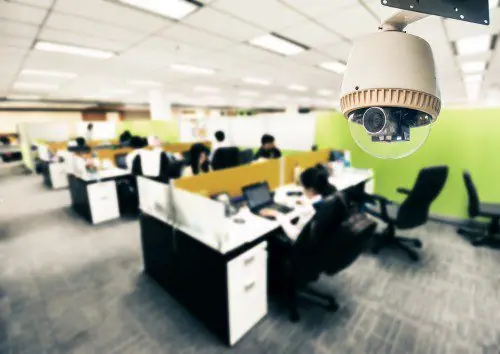

The California State Auditor recently released their July 2018 report on Investigations of Improper Activities by State Agencies and Employees. Contained in this report is one particularly frustrating example of misuse of state time- sleeping on the job.
A worker spent at least 2,200 hours of work time sleeping at her desk at the Department of Motor Vehicles between February 2014 and December 2017. Her boss knew about her sleeping at her desk, and acknowledged that this was a daily occurrence, personally waking the employee up 3 or 4 times every day. The supervisor estimated that the worker spent 20 to 30 minutes of work time every day sleeping.
However, upon further investigation, it was determined the supervisor’s estimate of “only” spending 20 to 30 minutes a day, on the clock, sleeping at her desk, not credible. Interviews with coworkers gave a much more consistent estimate of at least 3 hours a day spent sleeping. Key data operators in her units are expected to process 560 documents a day, yet, her annual evaluations state that she processed an average of only 200 documents a day. That’s an under-performance of nearly two-thirds, maybe she spent even more than 3 hours a day sleeping on the job?
How could this happen? Obviously, the only thing more boring than going to the DMV is working there – 8 hours a day, 5 days a week, 52 weeks a year. Surely, we can all sympathize with the worker, and she definitely got fired… right?
No, she’s still employed in the same unit, in the same position, and has just been issued her first corrective memorandum, just the second phase of the disciplinary process! You see, without documentation, like camera footage they should have had from a government security system, the supervisor had a hard time taking the necessary actions to enact corrective action, the step of the process necessary before disciplinary action can be taken. When the extent of the problem came to light, the employee had never been given corrective action, and therefore adverse disciplinary action, such as dismissal, could not be taken.
Office security cameras are the answer to common employee productivity issues like this. When the office manager discovered the worker sleeping on the job over 4 years ago, camera footage could then be reviewed to determine whether the worker was “only” sleeping 20 minutes a day, or if they were sleeping several hours at a time. Upon determining the extent of the problem, corrective action could then be taken. Then, only a short time after discovering the problem, the employee would be confronted with the choice to stop sleeping on the job or get fired.
Just imagine, if an office manager’s employees are sleeping several hours a day and getting away with it, what else is going on in that office? What kinds of things would a divisional manager see on a daily basis if he logged in to watch the cameras at that office every so often? The employee was not the only person in need of some disciplinary action, the manager is just as guilty of allowing this behavior for so long. In 4 years there must have been countless instances of the manager turning a blind eye, walking past a sleeping employee, passing unfinished work on to more diligent employees. And all the while, our tax dollars are going down the drain.
Think government agencies are the only places where such incompetence occurs? Think again! If you don’t have strong oversight of your office, like a business security camera system can bring you, your office may be guilty of the same wastes as your favorite government agency. If the price tag of security cameras for operational improvement scares you, how does this headline sound?
“The Employee Misused Work Time Daily for Almost Four Years, Costing Your Company More than $40,000”
P.S. The day after this story broke we were contacted by a License Bureau just a few miles from our office. We start installing their new security camera system tomorrow.